
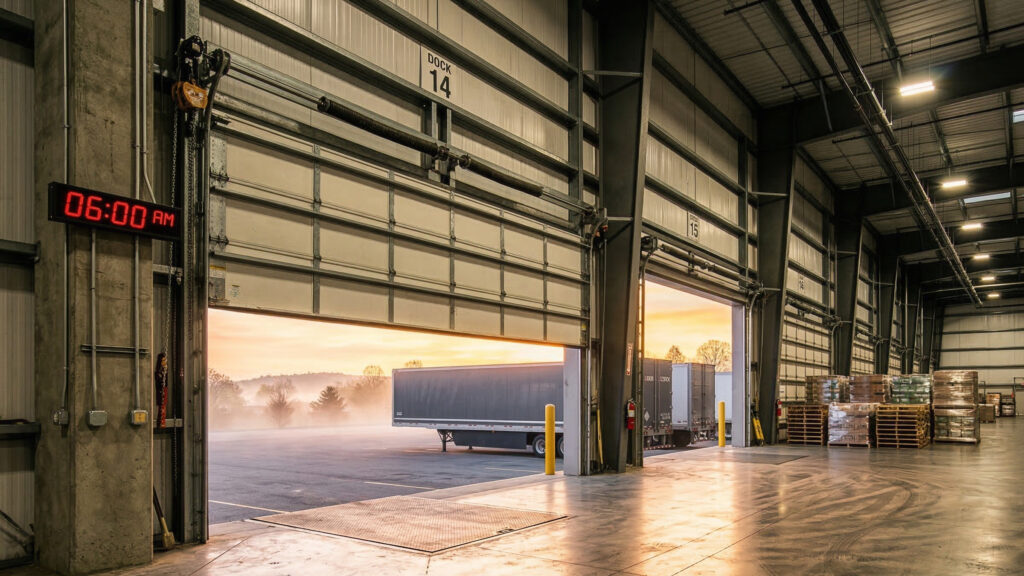
For facility managers, the second Sunday in March is more than just a lost hour of sleep; it is a synchronization challenge. While most modern building management systems (BMS) handle time changes automatically, many commercial overhead door controllers, gate operators, and standalone access timers still operate on local internal clocks that require manual intervention.
At Frontier Overhead, we see how a single hour of discrepancy can create a domino effect of operational friction. When your “Spring Forward” routine overlooks your door automation, you aren’t just dealing with a clock that’s wrong—you’re dealing with a security perimeter that is out of sync with your workforce.
The Hidden Risks of Out-of-Sync Door Timers
In a commercial setting, automated doors are often programmed with “Auto-Open” or “Auto-Close” schedules designed to mirror business hours. When Daylight Saving Time (DST) hits, an unadjusted timer creates several immediate vulnerabilities.
Security Gaps and Perimeter Vulnerability
If your rolling steel doors are programmed to lock at 6:00 PM, but the timer is still on standard time, those doors won’t lock until 7:00 PM local time. That one-hour window of exposure is a prime opportunity for unauthorized access. Conversely, a door that stays locked an hour too long in the morning can lead to employees or delivery drivers waiting in unsecured parking areas, creating a different kind of safety risk.
Loading Dock Scheduling Conflicts
Logistics hubs rely on precise timing. If your loading dock high-speed doors are tied to an automated sequence, a time mismatch can disrupt the flow of inbound and outbound freight. Drivers arriving for a 5:00 AM window may find themselves locked out, leading to idling trucks, missed KPIs, and congested yard space.
Energy Waste and Climate Control
climate, where spring mornings are brisk and afternoons are warm, this hour of inefficiency translates directly to higher utility bills.
Auditing Your Door Automation: A Step-by-Step Guide
Updating your facility for DST is the perfect time to perform a “Digital Audit” of your entry points. You might follow these steps to ensure your systems are optimized for the new season.
Step 1: Identify Every “Smart” Controller
Walk the floor and identify every unit with a programmable interface. This includes:
- Sectional Door Operators: Check for mid-stop timers and auto-close features.
- Rolling Steel Grilles: Often used in retail or parking, these frequently rely on weekly schedules.
- High-Speed Door Controllers: These often have complex logic boards (like the Rytec System 4) that manage peak-hour traffic settings.
- External Gate Operators: Often the most overlooked, these are your first line of defense.
Step 2: Update the Internal Clock
Access the programming menu on each operator. Most commercial units require a specific key sequence or a technician code to access clock settings. Ensure the date is also correct, as many controllers use a perpetual calendar to calculate future DST changes.
Step 3: Validate the “Hold-Open” Schedules
Spring often brings changes in shift times or seasonal delivery increases. While you are updating the clock, review the actual schedule. Does the 7:00 AM “Auto-Open” still align with your current spring staffing levels?
Step 4: Test the Battery Backups
Standard-to-DST transitions are the ideal time to test the battery backups on your operators. Disconnect the main power and ensure the controller retains its memory and clock settings. If the clock resets to 12:00 when the power blinks, your internal battery or capacitor is failing and needs replacement.
Integrating DST into Your Spring Inspection Routine
Updating a timer is a digital task, but it should always be paired with a physical inspection. At Frontier Overhead, we recommend a “Software and Steel” approach to spring maintenance.
Rolling Steel Doors
As you check the timer, listen to the door. Spring temperature swings cause metal expansion and contraction. A door that timed out perfectly in the winter might now be sticking due to thermal expansion in the guides. Ensure the “Close Timer” isn’t reversing the door prematurely because of increased friction in the tracks.
High-Speed Doors
High-speed doors are high-cycle assets. Use the DST update as a reminder to check your cycle counter. Most manufacturers recommend professional service every 25,000 to 50,000 cycles. If your timer update reveals you’ve hit a milestone, it’s time for a cable and tension check.
Sectional Overhead Doors
Check the weatherstripping. As you sync the door to the spring sun, ensure the seals haven’t become brittle over the winter. A well-timed door is only efficient if it creates a tight seal when closed.
Practical Checklist for Facility Managers
| Task | Door Type | Frequency |
| Clock Synchronization | All Automated Doors | Bi-annually (DST) |
| Schedule Optimization | Parking Grilles / Loading Docks | Quarterly |
| Photo-Eye Alignment | High-Speed / Sectional | Monthly |
| Battery Backup Test | All Operator Controllers | Bi-annually |
| Lubrication of Moving Parts | Rolling Steel / Sectional | Quarterly |
The Spring Automation Audit
Automated systems are designed to make facility management easier, but they are not “set it and forget it” solutions. Technology requires calibration, and hardware requires maintenance.
If you manage a large-scale facility with multiple entry points, manual updates can be time-consuming and prone to human error. Frontier Overhead offers comprehensive spring automation audits. We don’t just change the clocks; we dive into the controller logic to ensure your speeds, limits, and safety sensors are performing at peak efficiency for the season ahead.
Ensure your facility is secure, efficient, and perfectly in sync with the season.
Contact Frontier Overhead today to schedule your Spring Automation Audit and keep your operations moving forward.